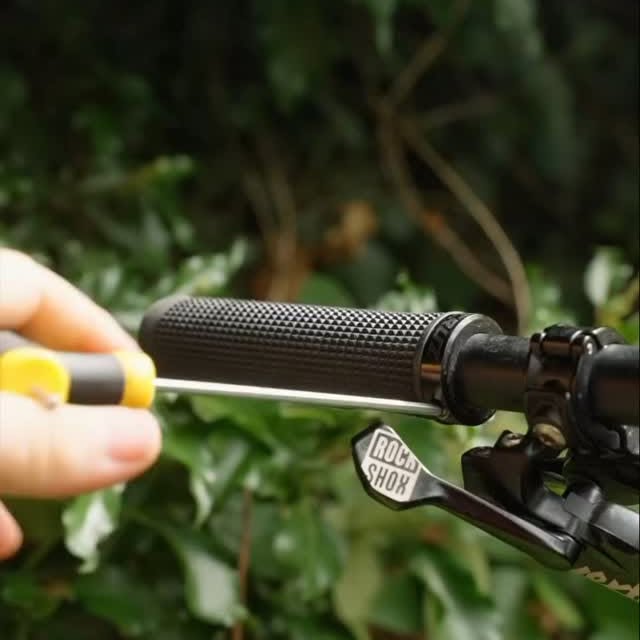
Add class to your cockpit with Peaty’s Monarch grips 👑 How to install your Monarch Grips: 1. Remove old grips and thoroughly clean/degrease bars. 2. Slide grips onto bar, ensuring the grips are fitted to the correct side. The ‘L’ and ‘R’ markings on the lockrings indicate left and right oriented grips and should be fitted to the left and right as seen by the rider. 3. Orientate correctly so that the crown logo on the end is facing upwards. This will set a good default position for the finger bars and thumb pad. Roll forwards or backwards slightly to suit your riding position and preference. 4. Tap the grip fully onto the bar to ensure the bar is driven fully into the tapered core. A firm whack with the palm should be fine—no need for a hammer! 5. Tighten the 3mm Allen key on the lockring to 3Nm. 6. Ride! Set yourself up with the best grips on the market 🤘 Experience Monarch today #MountainBike #pinkbike #gmbn #asmr #satifying #cyclingasmr #outdoorlife #MTB #bikecleaning #satisfyingposts #nukeproof #mtbuk #mtbtech #vtt #foxracing #santacruzbikes #srammtb #enduromtb #trekbikes #shimanomtb #bikelife #bici #giantbikes
Channel/Medium:
Instagram
onApr 19, 2025Peatys - GB
peatys.co.uk
Details
Add class to your cockpit with Peaty’s Monarch grips 👑 How to install your Monarch Grips:
1
Apr 19, 2025, 7:15 PM
Search thousands of other brands for emails, ads, social media posts, and more.
The Particl web app allows you to see how an email or ad campaign affected sales over time.
Explore emails, ads, and more
Agencies and marketers can cut through the noise and find the best ads, campaigns, and social media content about Peatys - GB all in one place. Take it a step further in the Particl app to see how those campaigns are performing.